

Board deck automation lets finance teams assemble native PowerPoint slide decks from verified market data and logos in minutes instead of hours. The highest-return approach combines native PPTX output, delivered through a PowerPoint add-in or API, with a verified data and logo source rather than manual copy-paste work. Quikturn is one finance-focused platform built around this exact combination.
TL;DR:
- Choose a PowerPoint plugin for interactive edits, Open XML for scheduled or high volume builds, and an API when another system should trigger generation.
- Verified company data and crisp logos prevent stale tickers and poor branding, while native PPTX preserves editable masters, layouts, tables, and charts.
- In PowerPoint plugins, call context.sync after each change and use a duplicate template for bulk runs to avoid failures and protect the source file.
- Pilot on your messiest real template, assign one template owner, and track assembly time, edits after generation, and pilot team satisfaction against a manual baseline.
- The Platform Free plan costs $0 monthly, while individual Pro access costs $9.99 monthly or $89 yearly; API access has a limited free tier.
Table of Contents
- How board deck automation works under the hood
- Key features finance teams must prioritize
- Developer integration notes: Office JavaScript API, Open XML SDK, and best practices
- Finance workflows and short examples
- Rollout checklist for adopting deck automation
- Perspective from the Quikturn Team
- How Quikturn accelerates board deck automation
- FAQ
- Sources
How board deck automation works under the hood
Three architectures dominate this space, and the right one depends on your scale and workflow. The first is a PowerPoint add-in built on the PowerPoint JavaScript API, which lets you read and modify presentations, slides, shapes, and tables through a typed object model directly inside the PowerPoint client. The second is server-side generation using the Open XML SDK, which manipulates the underlying Office Open XML package (essentially a ZIP of XML files) without ever opening PowerPoint itself. The third is an API-driven model where a request triggers slide assembly on a server and returns a finished PPTX file to the caller.
Add-ins fit interactive, in-app workflows where an analyst wants to insert a logo or refresh a chart without leaving a deck. Open XML suits scheduled or high-volume generation, since it skips the overhead of a running PowerPoint instance and handles bulk operations more predictably. API-driven assembly fits teams that want deck generation triggered from a CRM, a deal pipeline, or an internal tool, with a finished file returned on demand.

Accuracy depends heavily on the data feeding these systems. A verified company metadata source and logo library reduce the risk of a stale ticker, a wrong domain, or a pixelated logo making it into a client-facing deck. Native PPTX output matters for a related reason: it preserves slide masters, layouts, fonts, and editable tables, so a generated deck looks and behaves like one built by hand rather than a flattened image export that an associate then has to rebuild.
Key features finance teams must prioritize
Not every automation feature carries equal weight for a deal team under deadline pressure. A few determine whether a tool earns a permanent spot in the workflow.
- A verified logo library with vector or high-resolution formats keeps brand marks crisp at any slide size and avoids the embarrassment of a blurry competitor logo in a pitch book.
- Native PowerPoint compatibility, meaning masters, layouts, and editable tables and charts survive generation, so bankers can still tweak a slide by hand afterward.
- Data connectors for CSV uploads, CRM systems, and market feeds that let a template pull fresh figures without a manual re-key.
- Enterprise-grade security and access controls, including audit trails for who generated or edited a deck.
- Batch processing performance, since a pitch book with dozens of comparable-company slides needs the same turnaround whether it is one deck or fifty.
Pro Tip: Test any platform on your messiest real template first, not a clean demo deck. Logo density, nested tables, and custom masters are where automation tools reveal their actual limits.
Developer integration notes: Office JavaScript API, Open XML SDK, and best practices
Building deck automation into an existing tool means picking patterns that hold up under bulk edits and inconsistent source templates. A few practices come up repeatedly in real implementations.
- Use
PowerPoint.runto batch operations inside aRequestContext, and callSlideCollection.addwithAddSlideOptionsto insert new slides at a given index, as documented in Microsoft's guidance on adding and deleting slides. - Always call
await context.sync()after any mutation. Nothing persists to the presentation until the sync executes, and skipping it is the most common source of silent failures in add-in code. - Map friendly layout names or thumbnails to their underlying master and layout IDs at runtime, since those IDs are opaque and not visible anywhere in the PowerPoint interface.
- When converting a selected slide's position into an index for the API, remember to subtract 1, since selection indexes and collection indexes do not always align the way you expect.
- For bulk edits, work on a duplicated copy of the template so a failed batch run never corrupts the source file your whole team relies on.
For server-side generation at scale, the Open XML SDK gives you strongly typed classes for manipulating the package directly, which tends to scale better than orchestrating many parallel add-in sessions. The practical decision point is latency and volume: client add-in orchestration fits one-off, interactive edits, while server-side Open XML generation fits scheduled or high-volume builds such as a quarterly batch of twenty comparable-company decks.
Finance workflows and short examples
Three recurring workflows show where automation saves the most analyst time.
- Pitch book workflow: data ingestion from a CRM or CSV, template mapping to existing master slides, bulk slide generation across target companies, then a QA pass with automated logo stamping.
- Board deck workflow: automated assembly of an executive summary, KPI slides, and a market map, with the appendix populated last, all while keeping every table and chart fully editable.
- Market map example: company logos and metadata auto-populate into a quadrant or landscape visual, replacing the manual search-and-paste process that usually eats an analyst's afternoon.
Manually building a single comparable-company slide with a logo, ticker, and key metrics can take several minutes of searching and formatting; automated generation compresses that into seconds once the template and data source are mapped. Across a 40-company pitch book, that difference is the gap between a day of formatting work and an afternoon of review.
Rollout checklist for adopting deck automation
Moving a deal team onto automated deck generation works best as a staged process rather than a one-time switch.
- Define your core templates first, and map every master and layout ID before generating a single slide at scale.
- Validate your logo and data sources for accuracy and usage rights, since a wrong logo in a client deck is worse than no automation at all.
- Pilot with one team or one deal, iterate on the template based on their feedback, and track deck assembly time against the manual baseline.
- Run a security review covering permissions, data residency, and backups, and keep a documented fallback for manual editing when a template breaks.
- Track success with three metrics: time to assemble a deck, number of post-generation manual edits, and user satisfaction from the pilot team.
Pro Tip: Keep one person as the template owner during rollout. Scattered edits to masters across a team are the fastest way to break automated generation downstream.
Perspective from the Quikturn Team
We built our platform around a simple observation: deal teams lose entire afternoons to logo searches and slide formatting that add no analytical value. Pairing a verified logo and company database with native PPTX output removes that drag without asking analysts to learn a new file format or rebuild decks after export. Teams that shift bulk pitch-book work to this kind of workflow typically report the biggest time savings on the most repetitive slide types: comparable-company grids and market maps, where logo accuracy and formatting consistency matter most and manual work adds the least value.
— Quikturn Team
How Quikturn accelerates board deck automation
We give finance teams a verified database of millions of company logos paired with native PowerPoint export, so decks stay editable the moment they land in your deck rather than requiring rework. You can reach that database however your workflow already runs.
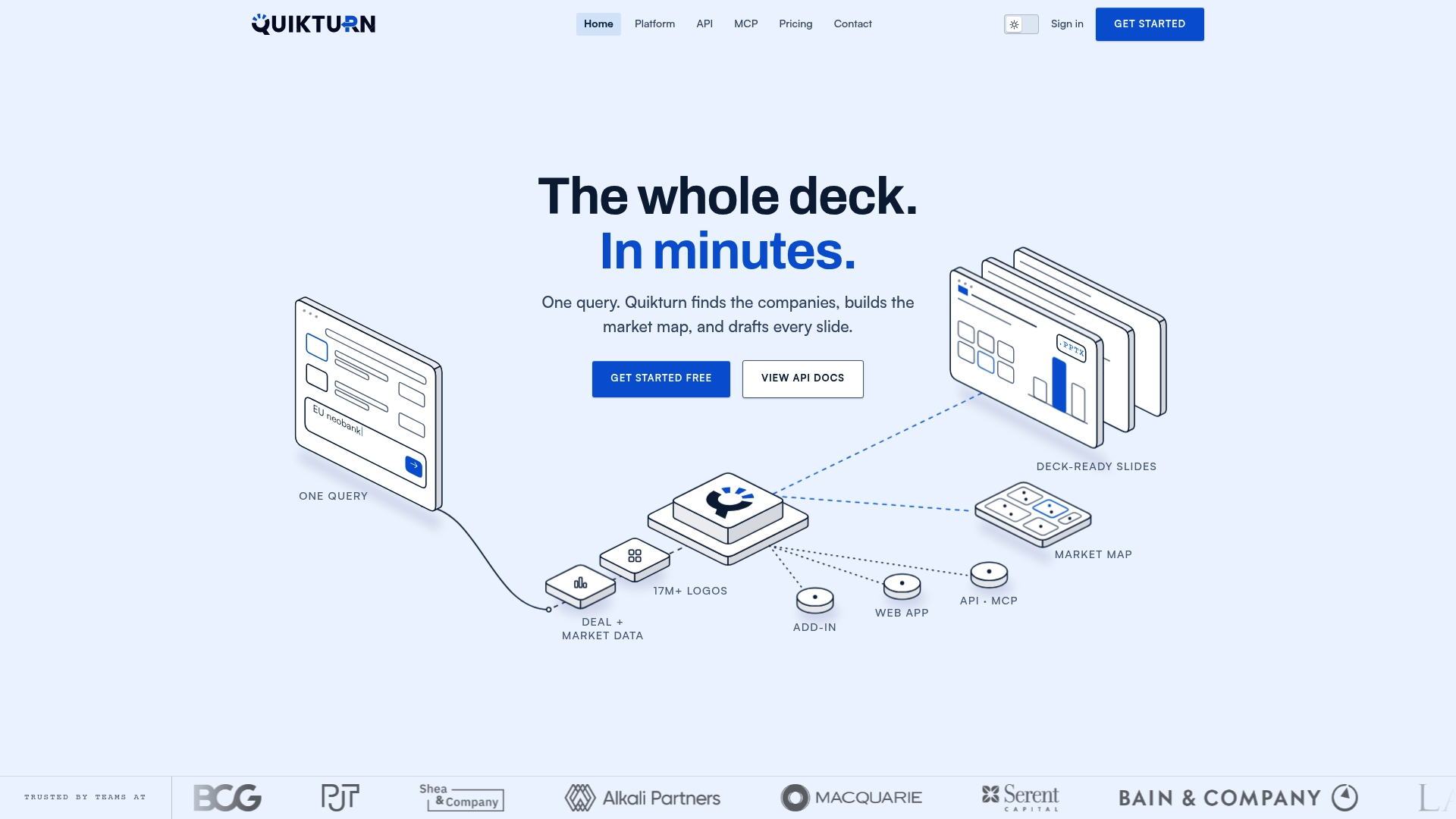
- Use our web app for one-off lookups and quick slide builds without any setup.
- Install our PowerPoint add-in to insert logos and company data directly inside an open presentation.
- Call our REST API or MCP server to wire deck generation into your own pipeline or AI agent.
Our Platform Free plan costs $0 per month and gives you a working starting point before committing to anything. When you are ready to move a full deal team onto automated deck generation, our Get Started page is the fastest way to begin a pilot.
FAQ
What is board deck automation in finance?
Board deck automation is the use of software to generate PowerPoint slides, such as pitch books, market maps, and executive summaries, from verified company data and logos instead of manual formatting. It typically works through a PowerPoint add-in, a web app, or an API that returns a native, editable PPTX file.
Does automated deck generation produce editable PowerPoint files?
Yes, when the platform uses native PPTX output built on the Open XML format, generated slides keep their masters, layouts, and editable tables and charts. This differs from tools that export flattened images, which require manual rebuilding before a deck can be edited further.
How much time does deck automation actually save?
Time savings come mainly from eliminating manual logo searches and repetitive slide formatting across comparable-company grids and market maps. A task that takes several minutes per slide by hand can often be generated in seconds once a template and verified data source are connected, though exact savings depend on deck complexity and template setup.
What does Quikturn cost for a finance team getting started?
Our Platform Free plan is $0 per month, and our Platform Pro plan runs $9.99 per month or $89 per year for individual users needing more volume. API access includes a free tier with limited usage and paid plans for higher volumes; current prices are on the pricing page.
Should developers use the Office JavaScript API or the Open XML SDK?
Use the PowerPoint JavaScript API for interactive, in-app editing where a user is actively working inside PowerPoint. Use the Open XML SDK for server-side, high-volume, or scheduled PPTX generation where no PowerPoint client needs to be open.
Sources
For implementation details, review Microsoft's documentation on the PowerPoint JavaScript API and the Open XML SDK. For governance-style reporting context, see this board reporting best practices guide, and for valuation slide inputs, see TickerWorth's analysis notes.
- PowerPoint JavaScript object model in Office Add-ins - Office Add-ins | Microsoft Learn